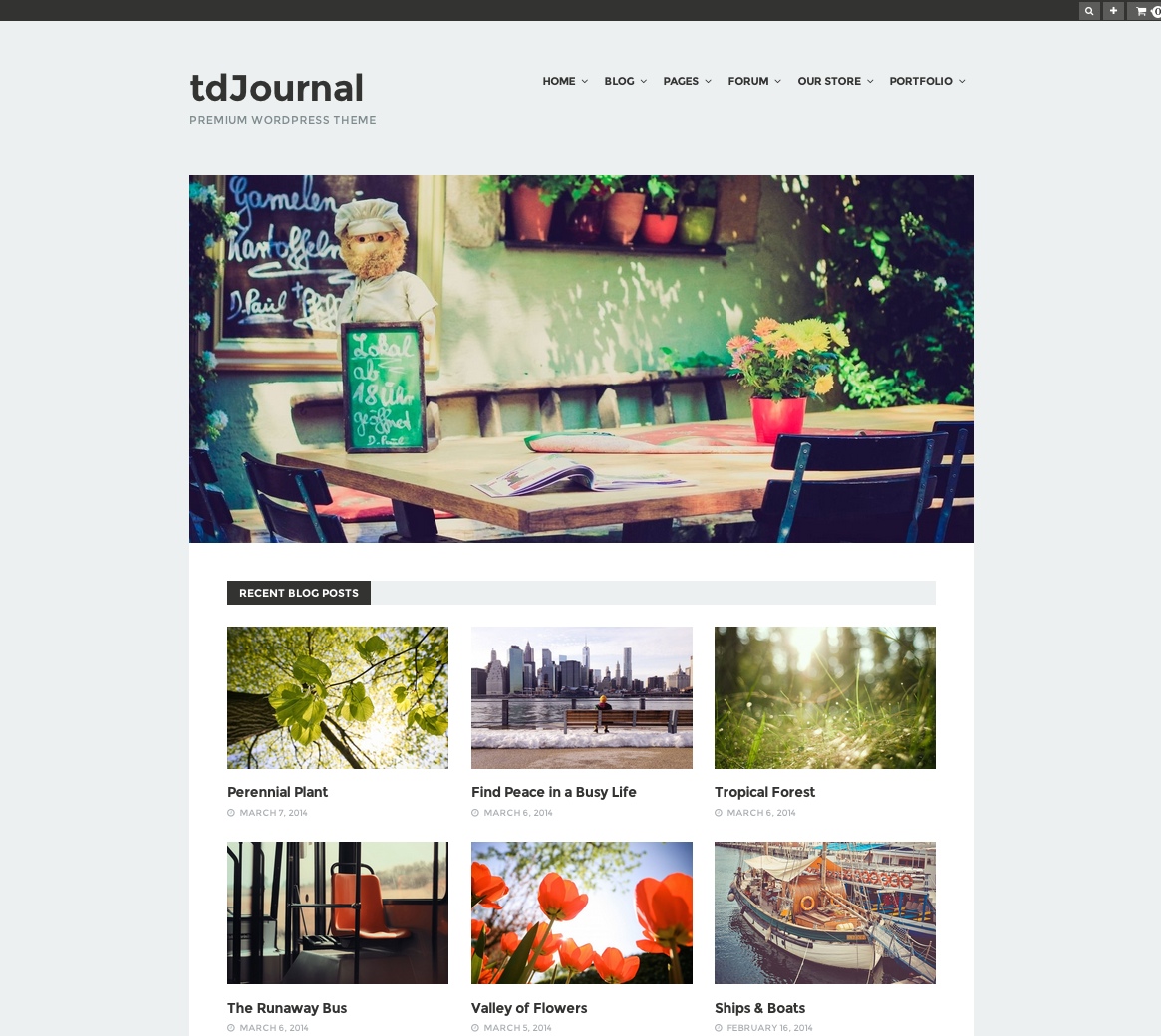
Theme overview
tdJournal was presented as a responsive and minimal theme for blogs, magazines, portfolios, nonprofit websites, photography, and creative work. The original product page emphasized a clean layout, custom backgrounds for the site and individual content, a homepage builder, multiple blog layouts, translation files, WooCommerce support, bbPress support, and a set of widgets and templates.
Fully responsive design
The source stated that the layout fit various displays and resolutions, although that paragraph mistakenly named tdPravda.
Custom backgrounds
Site-wide images, patterns, and colors were supported, along with individual post and page backgrounds.
Custom homepage template
The homepage could showcase latest or random posts through multiple category layouts.
Translation ready
The original package stated that PO and MO translation files were included.
Advanced theme options
The theme included an options panel for configuring its available settings.
WooCommerce support
The release advertised WooCommerce compatibility for building an online store.
Complete original feature list
View all preserved tdJournal features
- WordPress 3.7+ compatible
- Responsive design
- Clean design
- bbPress compatible
- WooCommerce compatible; store items in the demo were for demonstration purposes only
- Multisite compatible, according to the theme demo
- Featured images for posts and pages
- Custom background:
- Solid color
- Pattern
- Fullscreen image
- Custom logo uploader
- Favicon uploader
- Home Page Builder
- Three different blog layouts
- Shortcodes, with a plugin included
- Post-format support
- Ready for translation, with PO and MO files included
- Advanced Theme Options
- Child-theme compatible, with a dummy child theme included
- WordPress menu support, including multilevel dropdown menus
- Social links
- No sidebar
- Advertising sections:
- Header
- Footer
- Post
- Widgets
- Custom widgets:
- Authors
- Recent Comments
- Recent Posts
- Popular Posts
- Random Posts
- Recent, Popular, and Random Posts
- Newsletter
- Social Links
- Custom templates:
- Category Archive
- Website Archive
- Authors List
- Support for self-hosted audio and video
- Paginated posts, including multiple-page posts
- Google Analytics support
- Widget-ready areas:
- Header
- Footer
- Optional features that could be turned on or off:
- Pagination and numeric blog navigation
- Author section
- Share buttons
- Newsletter section
- Infinite scroll
- Smooth scrolling
- Related posts
- Sticky navigation
- Featured image zoom
- Extensive user manual
Historical specifications
The specification panel listed Internet Explorer 8+, Firefox, Safari, Opera, and Chrome as compatible browsers and required WordPress 3.6 or newer. The detailed feature list separately stated WordPress 3.7+ compatibility. Both source statements are preserved because they conflict; neither should be treated as a present-day support guarantee.
What to review before using an archived theme
WordPress and PHP
Test for deprecated APIs, fatal errors, editor integration, template behavior, and current PHP compatibility.
WooCommerce and bbPress
Verify current template overrides, hooks, account screens, checkout, products, forums, profiles, and responsive behavior.
Bundled shortcodes
Review the included shortcode plugin for security, compatibility, content lock-in, and replacement options.
Accessibility
Check keyboard navigation, headings, landmarks, contrast, focus states, menus, image zoom, infinite scroll, and smooth scrolling.
Performance
Inspect old scripts, image zoom, infinite scroll, analytics code, advertising areas, widgets, and unnecessary requests.
No-sidebar layout
Confirm content width, reading measure, widget placement, archives, store screens, forums, and responsive behavior without a sidebar.
Archive evaluation checklist
- Install and inspect the theme only in a local or staging environment first.
- Review every PHP file, bundled plugin, script, uploader, remote request, and analytics integration before activation.
- Keep a current default theme installed as a recovery option.
- Test the homepage builder, all three blog layouts, category templates, archives, authors, posts, pages, search, and 404 behavior.
- Test WooCommerce and bbPress with their currently installed versions rather than relying on the historical compatibility statement.
- Review custom backgrounds, logo and favicon uploaders, ad sections, widgets, post formats, audio, video, and paginated posts.
- Test optional features including infinite scroll, smooth scrolling, sticky navigation, image zoom, related posts, sharing, and newsletters.
- Do not rely on the conflicting archived WordPress requirements or browser list as current compatibility evidence.
Demo and purchase availability
The source included a working screenshot/demo destination at /demo_subdomain/journal.html. It also contained a separate Live Demo anchor with an empty href and displayed Purchase without a link. The working demo destination is preserved, while no purchase URL or replacement empty link has been invented.