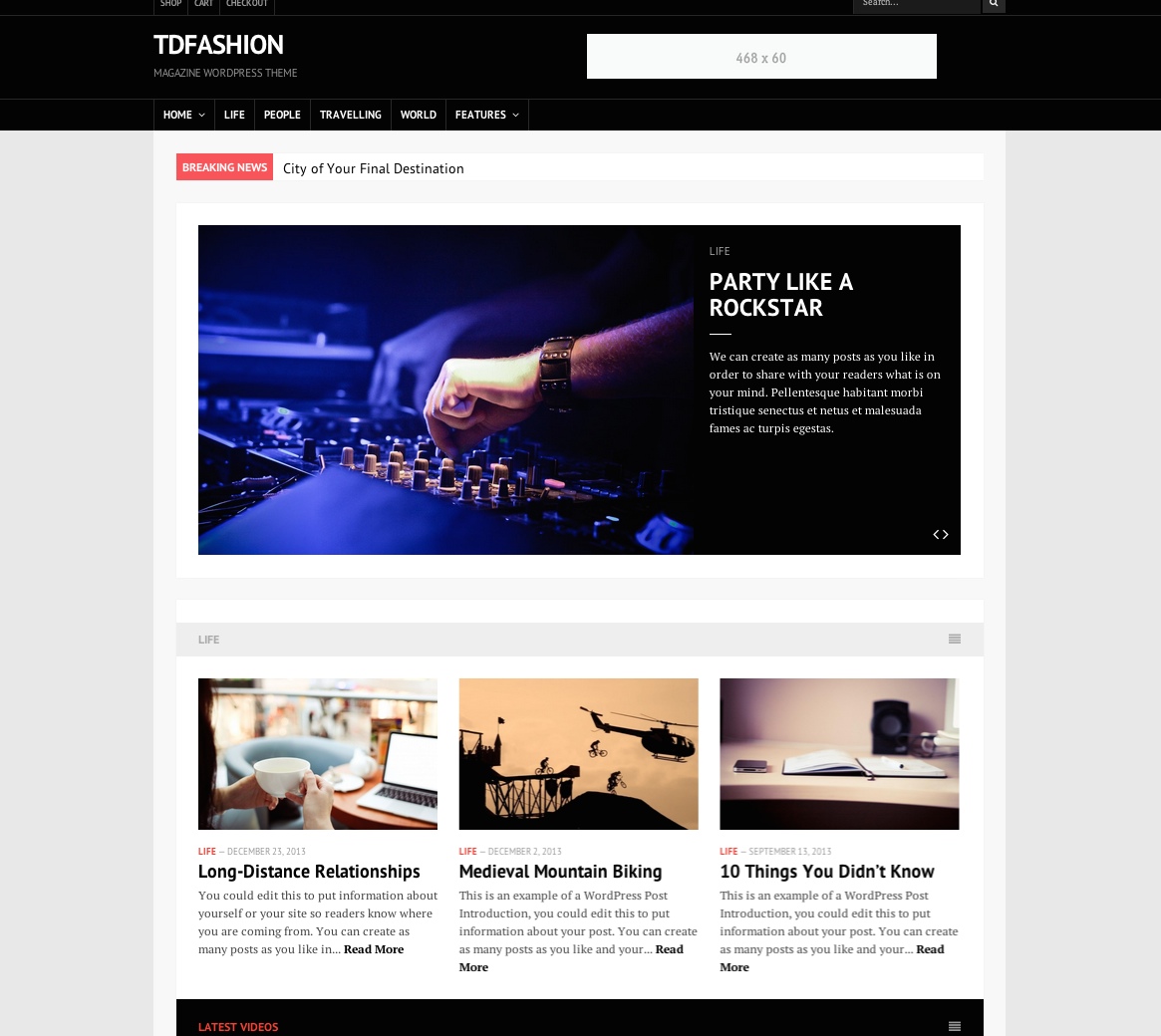
Theme overview
tdFashion was presented as a responsive publishing theme for magazines, news sites, blogs, forums, and stores. The original product page emphasized flexible backgrounds and branding, an advanced options panel, several blog and homepage layouts, translation files, WooCommerce support, bbPress compatibility, and a broad collection of templates and widgets.
Fully responsive design
The original release was designed to adapt to different screen sizes.
Custom background and logo
Site owners could use colors, patterns, fullscreen images, and an uploaded logo.
Advanced theme options
The theme included an options panel for configuring its available settings.
Multiple layouts
tdFashion included multiple blog layouts, homepage variations, and page templates.
Translation ready
The original package stated that PO and MO translation files were included.
WooCommerce support
The release advertised WooCommerce compatibility for creating an online store.
Complete original feature list
View all preserved tdFashion features
- WordPress 3.7+ compatible
- Responsive design
- bbPress compatible
- WooCommerce compatible; store items in the demo were for demonstration purposes only
- Multisite compatible, according to the theme demo
- Featured images for posts and pages
- Custom background:
- Solid color
- Pattern
- Fullscreen image
- Custom logo uploader
- Favicon uploader
- Home Page Builder
- Different blog layouts
- Different post and page templates: left sidebar, right sidebar, and full width
- Two header and footer layouts:
- Boxed
- Full width
- Shortcodes, with a plugin included
- Ready for translation, with PO and MO files included
- Advanced Theme Options
- Child-theme compatible, with a dummy child theme included
- WordPress menu support, including multilevel dropdown menus
- Social links
- Advertising sections
- Custom widgets:
- Gallery
- Authors
- Recent Comments
- Recent Posts
- Popular Posts
- Random Posts
- Recent, Popular, and Random Posts
- Newsletter
- Social Links
- Custom templates:
- Author Archive
- Website Archive
- 404 Page
- Support for self-hosted audio and video
- Paginated posts, including multiple-page posts
- Google Analytics support
- Widget ready
- Optional features that could be turned on or off:
- Pagination and numeric blog navigation
- Author section
- Share buttons
- Newsletter section
- Infinite scroll
- Related posts
- Sticky navigation
- Breaking News section
- Extensive user manual
Historical specifications
The original release listed Internet Explorer 8+, Firefox, Safari, Opera, and Chrome as compatible browsers and required WordPress 3.7 or newer. Those statements describe the archived product page and are not a present-day support guarantee.
What to review before using an archived theme
WordPress and PHP
Test for deprecated APIs, fatal errors, editor integration, current template behavior, and modern PHP compatibility.
WooCommerce and bbPress
Verify current template overrides, hooks, account screens, checkout, product layouts, forums, profiles, and responsive behavior.
Bundled shortcodes
Review the included shortcode plugin for security, compatibility, content lock-in, and replacement options.
Accessibility
Check keyboard navigation, headings, landmarks, menus, contrast, focus states, labels, sliders, and infinite scroll.
Performance
Inspect old scripts, icon fonts, image sizes, analytics code, widgets, sliders, and unnecessary third-party requests.
Content portability
Confirm widgets, page-builder data, shortcodes, templates, and theme settings remain usable if the theme is later replaced.
Archive evaluation checklist
- Install and inspect the theme only in a local or staging environment first.
- Review every PHP file, bundled plugin, script, uploader, remote request, and analytics integration before activation.
- Keep a current default theme installed as a recovery option.
- Test posts, pages, archives, authors, search, 404, comments, widgets, media, menus, and paginated posts.
- Test homepage variations, the page builder, layouts, slider-like features, Breaking News, infinite scroll, and sticky navigation.
- Test WooCommerce and bbPress with their currently installed versions rather than relying on the historical compatibility statement.
- Review translation files, multisite behavior, child-theme support, and custom templates.
- Do not rely on the archived browser or WordPress requirements as current compatibility evidence.
Demo and purchase availability
The source included a working screenshot/demo destination at /demo_subdomain/tdfashion.html. It also contained a separate Live Demo anchor with an empty href and displayed Purchase without a link. The working demo destination is preserved, while no purchase URL or replacement empty link has been invented.